Bookmarks,
made smarter
Manage every bookmark in one place.
One prompt, a finished collection
Just tell an AI like Claude what you want, and Favbit takes it from there. Adding bookmarks, organizing folders, creating and publishing pages — it all runs automatically through MCP tools.
A demo that recreates a real MCP tool-call flow.
13 things you can do with MCP
Use them straight from Claude, Cursor, and other MCP clients with a single API key.
search_favoritesget_favoritelist_folderslist_tagsget_profilereviews_by_urlcreate_favoriterate_favoriteset_tagscreate_foldercreate_pagepublish_pageset_page_translationHow to connect
Connect in under a minute with either method.
https://myfavbit.com/api/mcpJust add the URL above to the claude.ai web/desktop connector. No key needed — connect via login & consent.
- 1Claude Settings → Add connector
- 2Paste the URL above
- 3Log in to favbit and click 'Allow'
Register directly in config files for Claude Desktop/Code, Cursor, VS Code, and more.
- 1favbit Settings → MCP → issue an API Key
- 2Register the URL above in your config
- 3Use the key as Authorization: Bearer
An interface you get instantly
From saving to organizing to sharing — see exactly how Favbit works.
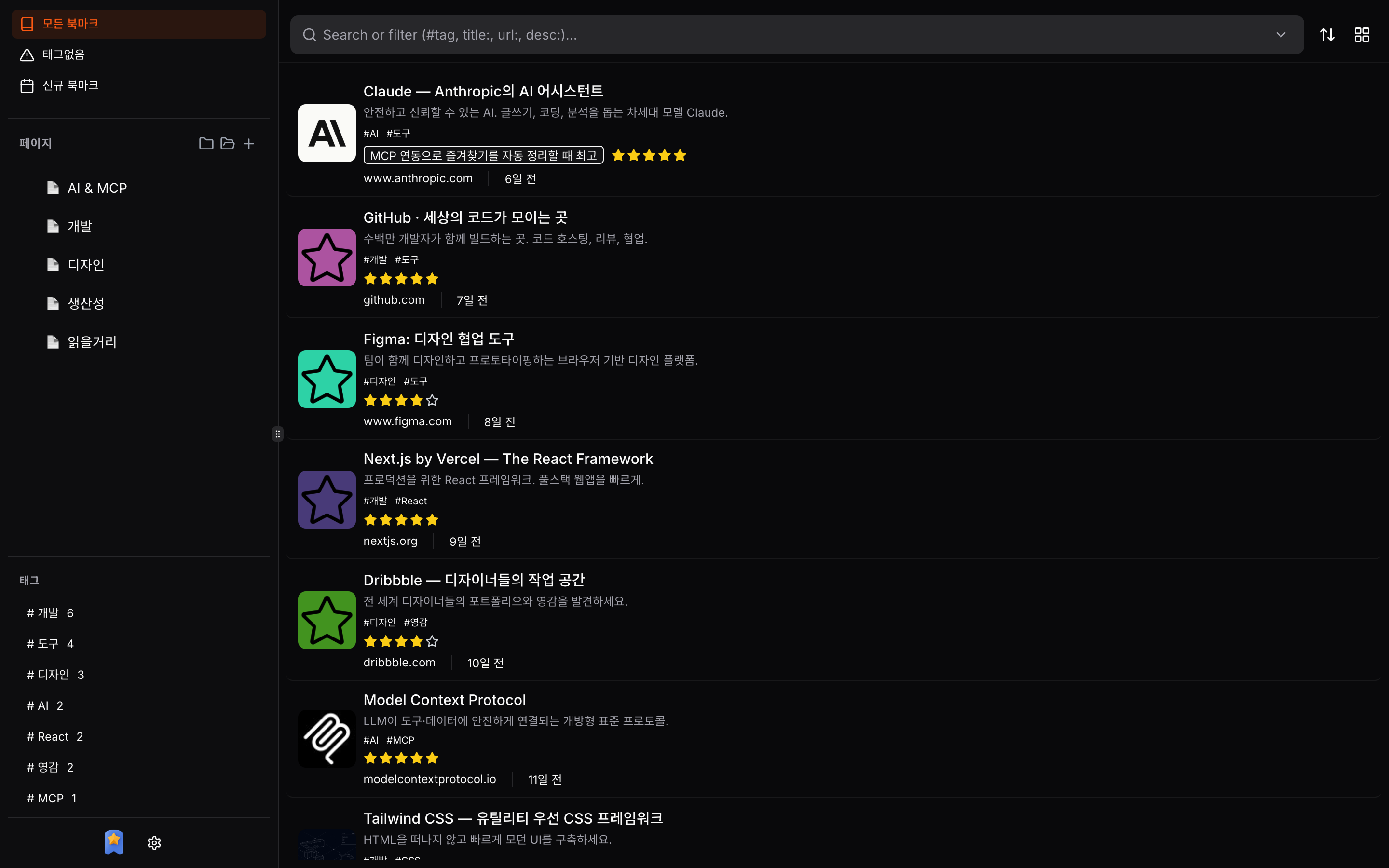
Every bookmark on one screen
Organize with folder trees and tags in a smart bookmark list that shows ratings, summaries, and favicons at a glance.
- Folder & tag sidebar
- Ratings, comments, and tags at a glance
- Find anything instantly with search and filters
Turn bookmarks into curated pages
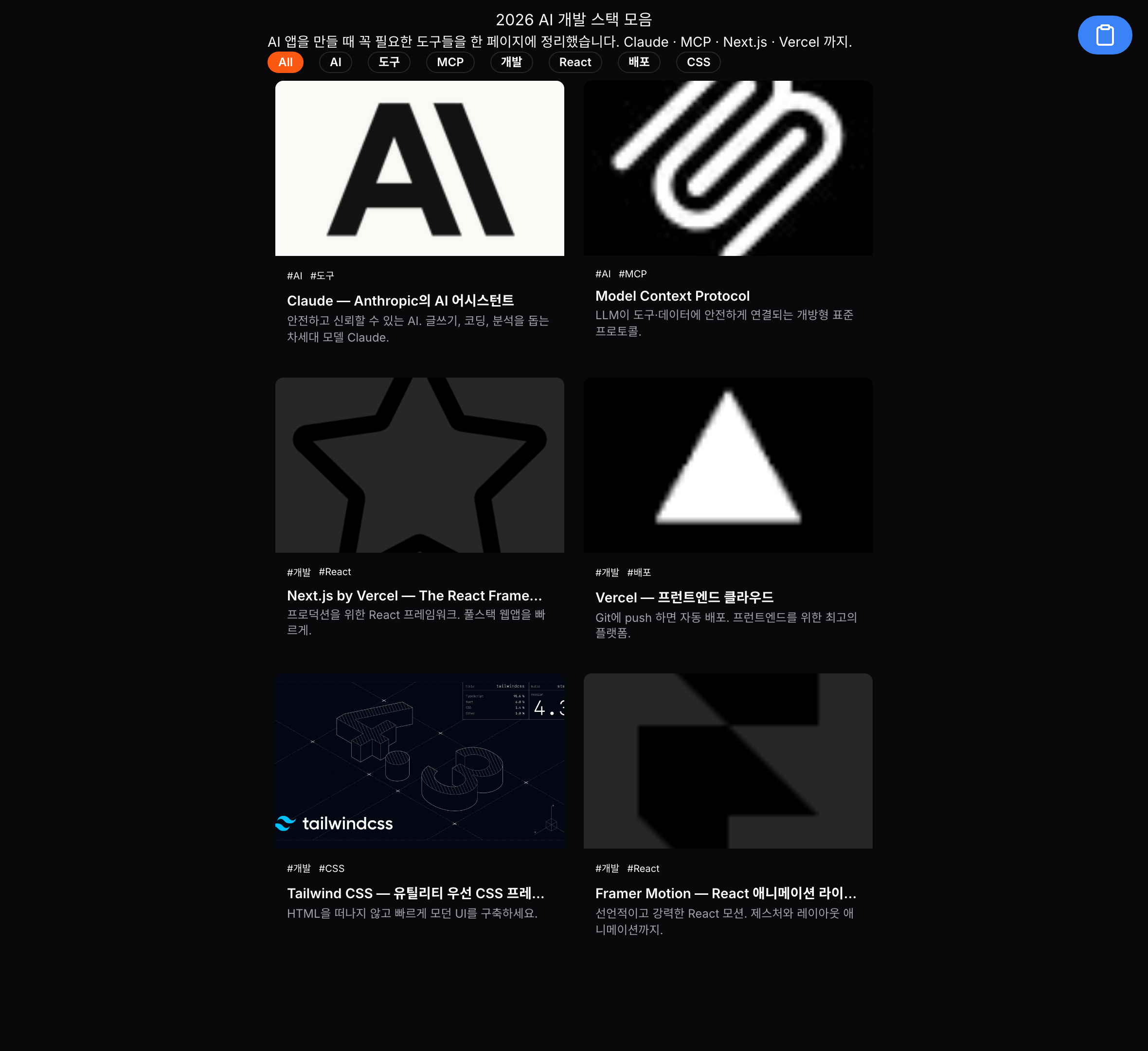
Publish your collected links as public pages — tag filters, card layouts, and SEO meta all handled automatically.
- Card or list layouts
- Filter instantly by tag
- Share with a short URL
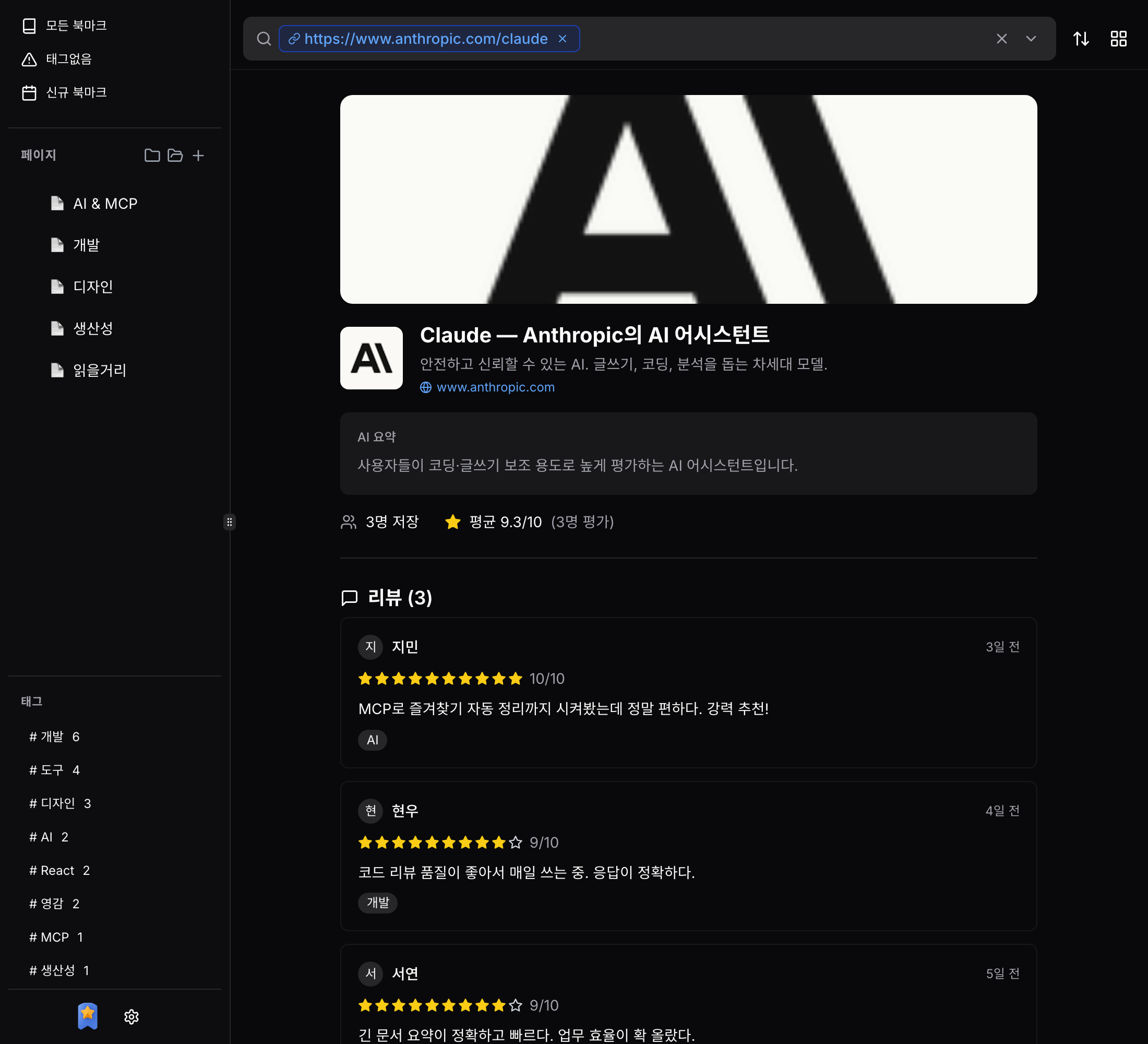
See ratings and reviews for any URL
We gather the average ratings and reviews other users have left. Scored out of 10 in 0.5 increments.
- Aggregated average ratings
- Browse user reviews in one place
- AI-generated summaries
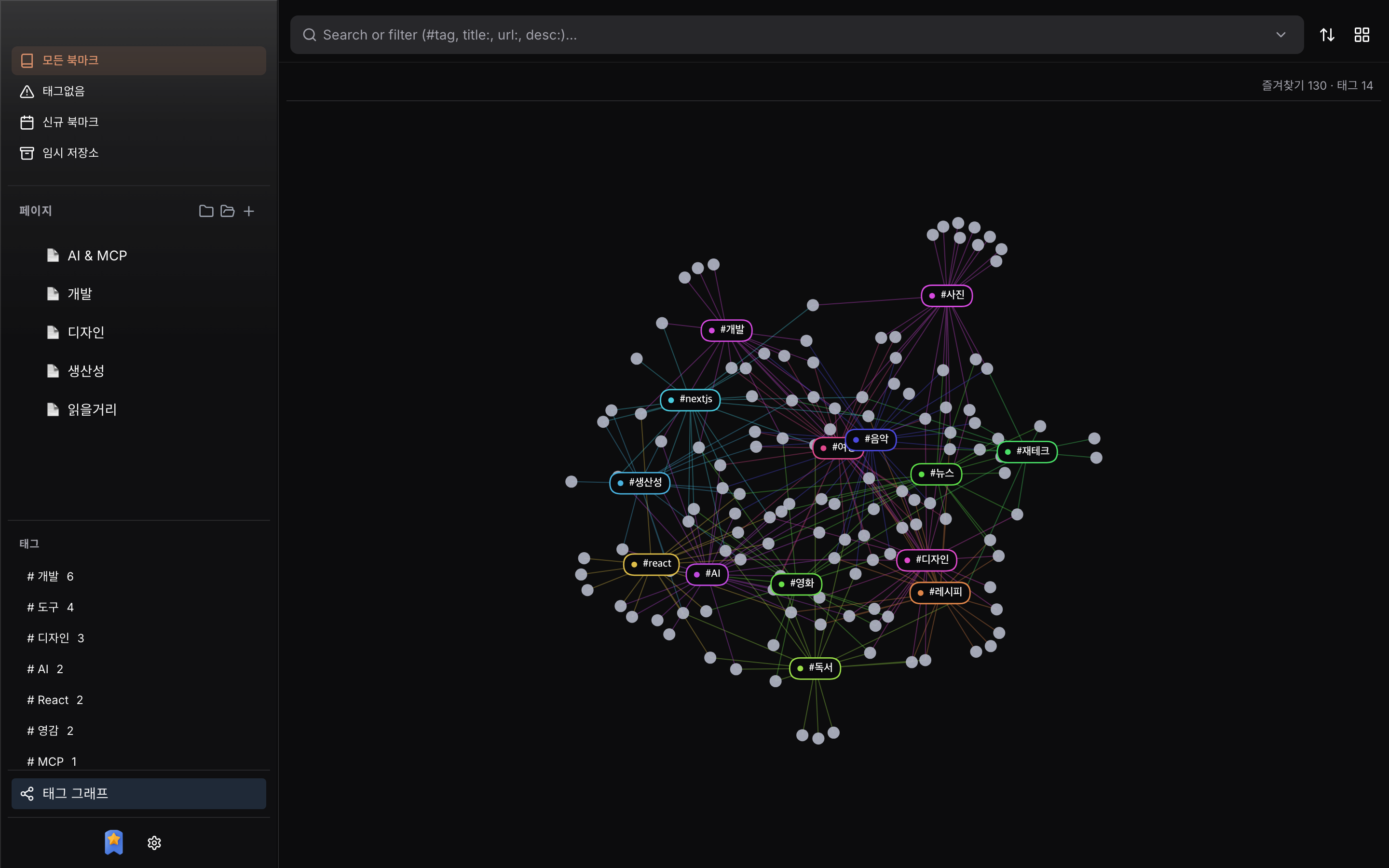
See how your bookmarks connect
Visualize how your bookmarks link together through shared tags — a force-directed graph that grows as you save. (Desktop app only)
- Tag hubs cluster related bookmarks
- Click a tag to focus its links
- Built into the desktop app
Everything you need, in one place
More than just saving bookmarks — features that make your content truly valuable
One-Click Save
Just paste a URL and we'll automatically pull in the title, description, favicon, and images.
AI Summaries
AI summarizes your saved content automatically, so you can grasp the key points of even long reads in seconds.
Star Ratings
Rate in fine 0.5 increments on a 10-point scale, and see all your reviews for each URL at a glance.
Folders & Tags
Organize hierarchically with folder trees and flexibly with tags. Drag and drop included.
Publish Pages
Turn your bookmarks into curated pages and build your very own link collection site.
Short URLs
Share bookmarks with short links, complete with custom slugs and expiration dates.
Chrome Extension
Check reviews and ratings for the page you're on, and add bookmarks right from a new tab.
Desktop App
Manage your bookmarks without a browser using the Electron-based desktop app.
Watch Monitoring
Automatically detect changes on the pages you care about and get notified.
SEO Optimized
OG images and meta tags are generated automatically for every published page.
Search-Based Pages
Create dynamic pages that update themselves based on your tag conditions.
Stats & Analytics
Track page visitors, popular bookmarks, and click stats from one dashboard.
Favbit, everywhere
Manage your bookmarks anywhere — on the web, desktop, or mobile
Get started today
Start free and upgrade whenever you need to.
No credit card required—jump right in.